ajo-academy
Acquiring New Customer Data
First, let’s open a new tab in an incognito mode (sometimes called private browsing) browser session, copy the Luma demo website address: https://dsn.adobe.com/web/ajo-academy/.
You may have to verify your identity if this is your first time login. If so, check your mailbox to enter the one time code you received and complete your profile (don’t worry, these information won’t be used outside of this lab).
This the Luma website powered by Adobe web SDK to collect in real time customer behaviors. Before that, you need to give your consent by clicking the Allow All button displayed in the cookie notice banner.
Browsing as a Guest
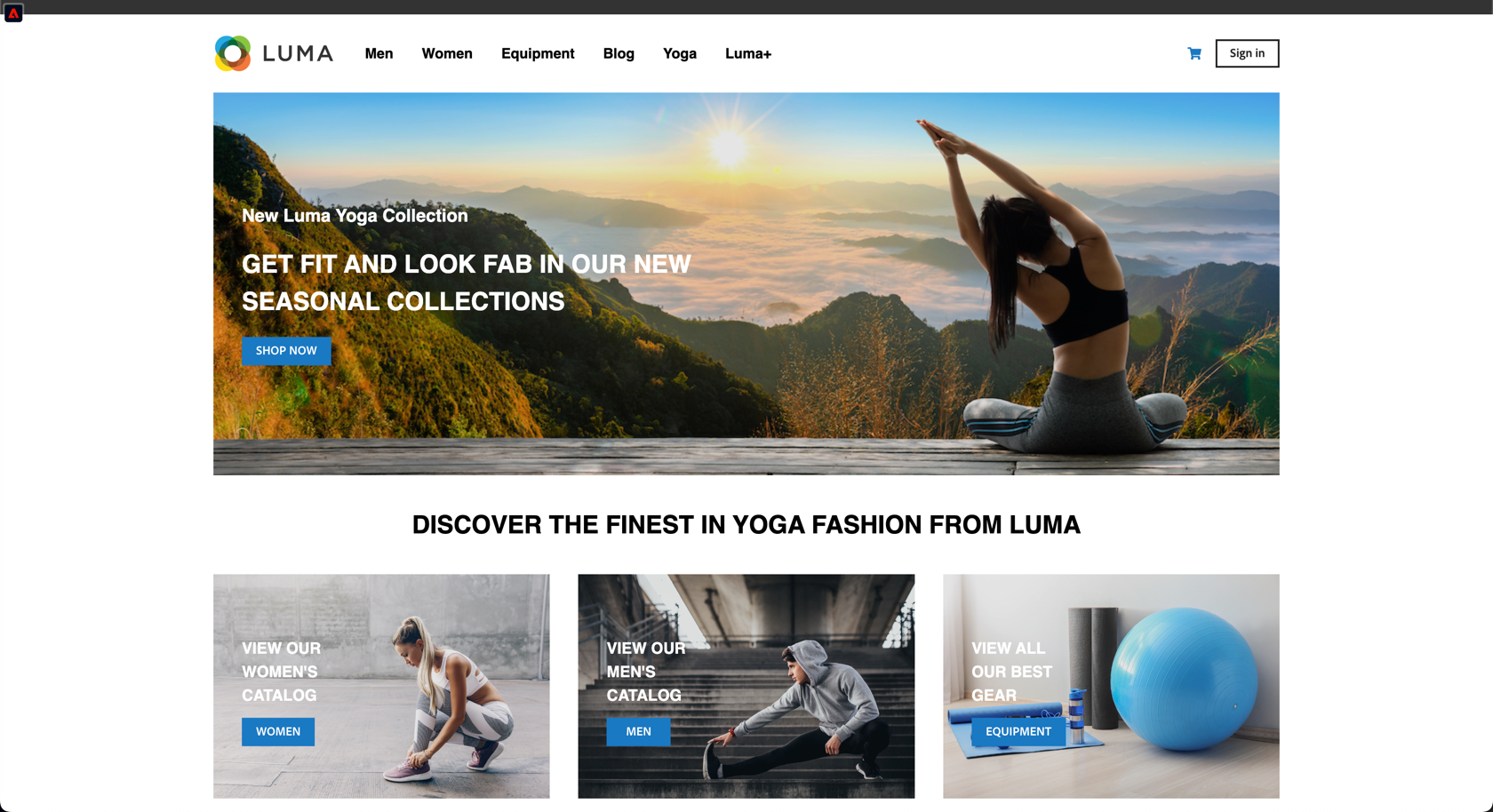
Browse the site, click on product pages (men, women, and equipment).
View the events collected in the Real Time Customer Profile panel by clicking on the Adobe logo in the top left corner of the screen and on the Events tab. Click the refresh icon to update the list.
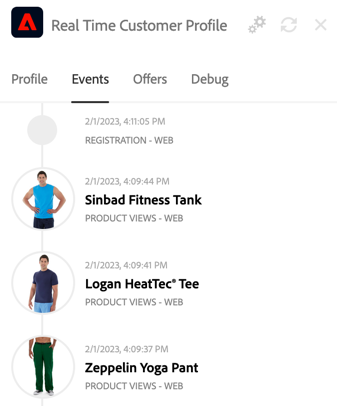
If you have visited three product pages in the same category (men or women), you are automatically qualified for the corresponding segment. Notice also the status of the audience evaluation, either Realized (you entered the audience) or Exited (you left the audience).
Create an account
Click the button in the top right corner, then click the
link.
Enter your information to create your account. Remember the email address , you’ll need it to access your mailbox and lookup your profile details in AEP.
[!NOTE] Use a valid email address linked to a mailbox where you can check your emails.
It can be the one you use to first login to the environment
- Toggle on I want to join loyalty program and
- Set Communication Preferences to Email
- Add your preferences (shoe size / shirt size and favorite color)
- Click the Submit button.
- Once your account is created you can login (no need to type a password, it is a demo website)
A couple of minutes later, if you refresh the Real Time Customer Profile panel, the profile information are updated.
There you see the information collected by AEP, such as the profile details from the form as well as the identities collected, either cross device ids such as email address, phone number and also device id (Experience Cloud Id) set by the web sdk. Derived values, either calculated by AJO or coming from an external datasource enrich your profile (eg: Churn Prediction Score)
Scrolling down, you can also see the audience memberships AEP automatically calculated for you:
- based on from behavioral data collected in real time, such as product category interest
- based on user inputs (eg: I want to join the Loyaly Program input onboards you to Luma - Blue+ Memberbers audience)
Viewing the profile in Adobe Experience Platform
Still in the Real Time Customer Profile panel, click Utilities and View Profile in AJO
The profile view opens in a new tab. Observe:
- the events captured in the Events tab
- the profile attributes collected in the Attributes tab
- the segments associated with our contact in the Segment Membership tab
Click on Show Identity Graph to view Identities collected and assigned to the real-time profile over time
Receiving the email in the webmail
Log in to your mailbox using the same email address you used to create the your account on Luma website. If you do not see the email in your inbox folder, please check the spam / junk folder (yes it is a demo instance where deliverability setup isn’t 100% complete)
Congratulations! You have completed the first chapter of the 👍 ✨, go to the next step or return to the home